


Rules & Rules
You lost a bet, and now your friend gets to decide what goes into your game. Every time you complete one ridiculous requirement, they hand you another. Keep up with the endless rules and finish your game before the clock runs out.
How to Play
To complete each rule, you'll need to build and code your own game.
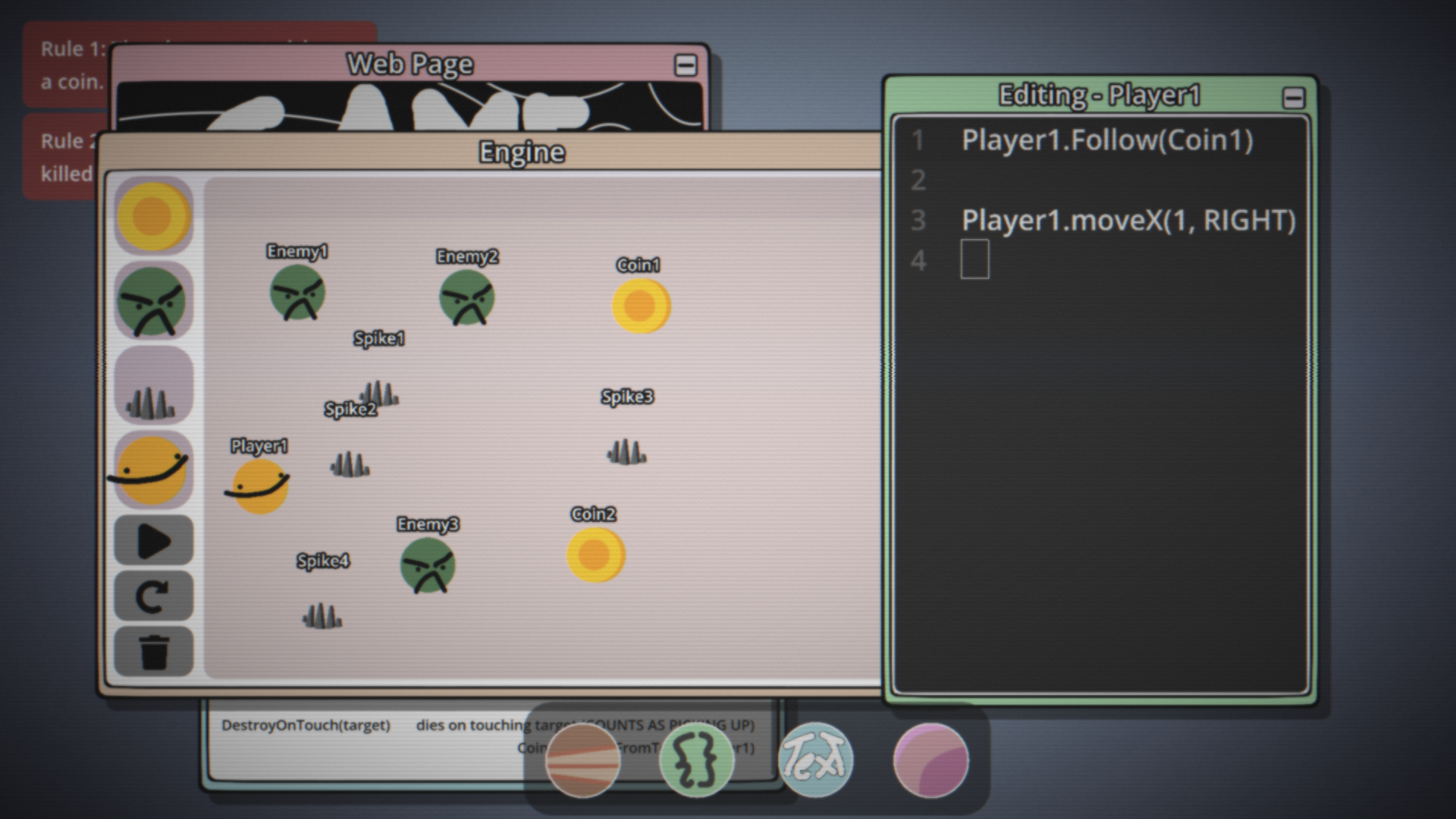
Start by dragging the objects you need from the Engine toolbar into the level. For example, if the current rule requires a player and a coin, drag a Player and a Coin into the scene.
Next, click one of the objects you've placed. Its code will open in the Code Editor (the green window). Every object has its own code, so make sure you're editing the correct object.
If you want to move the player using WASD, click Player1 and type:
Player1.MoveX(-1, A)
Player1.MoveX(1, D)
Player1.MoveY(-1, W)
Player1.MoveY(1, S)
You can also use the Arrow Keys by replacing the keys with LEFT, RIGHT, UP, and DOWN.
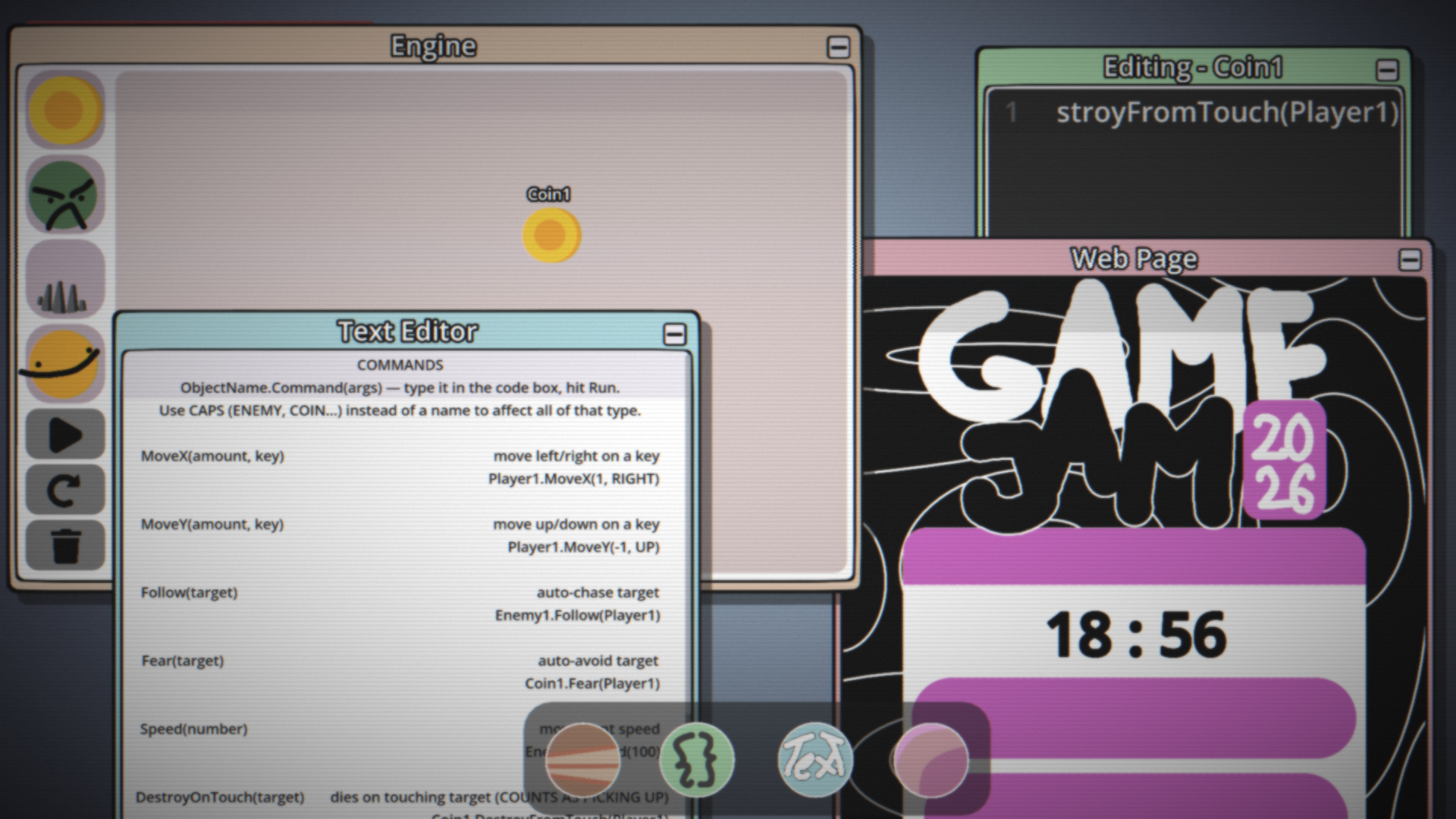
To complete the first rule, click Coin1 and type:
Coin1.DestroyOnTouch(Player1)
This makes the coin disappear when the player touches it.
After you've finished coding all of your objects, click the Play button. This starts the simulation. Your objects will begin following the code you've written, and you'll be able to control the player using the movement keys you assigned (WASD or the Arrow Keys).
If you want to make changes, you must stop the simulation first. You cannot edit objects while the game is running. Click the Refresh button to stop the simulation, return every object to its original position, and continue editing. The Refresh button will flash green whenever it's ready to be pressed.
Every object can be programmed in the same way. Simply replace the object name. For example, instead of writing commands for Player1, you can write them for Spike1, Enemy1, or any other object.
For example:
Spike1.MoveX(-1, A)
Spike1.MoveX(1, D)
Spike1.MoveY(-1, W)
Spike1.MoveY(1, S)
You can also make objects interact with one another:
Enemy1.Follow(Player1) – Makes the enemy chase the player.
Enemy1.DestroyOnTouch(Player1) – Makes the enemy defeat the player when it touches the player.
If you write an object type in ALL CAPS, the command will apply to every object of that type. For example, Enemy1.Fear(SPIKE) will make every spike feared by Enemy1 Enemy1.Fear(Spike1) only affects Spike1.
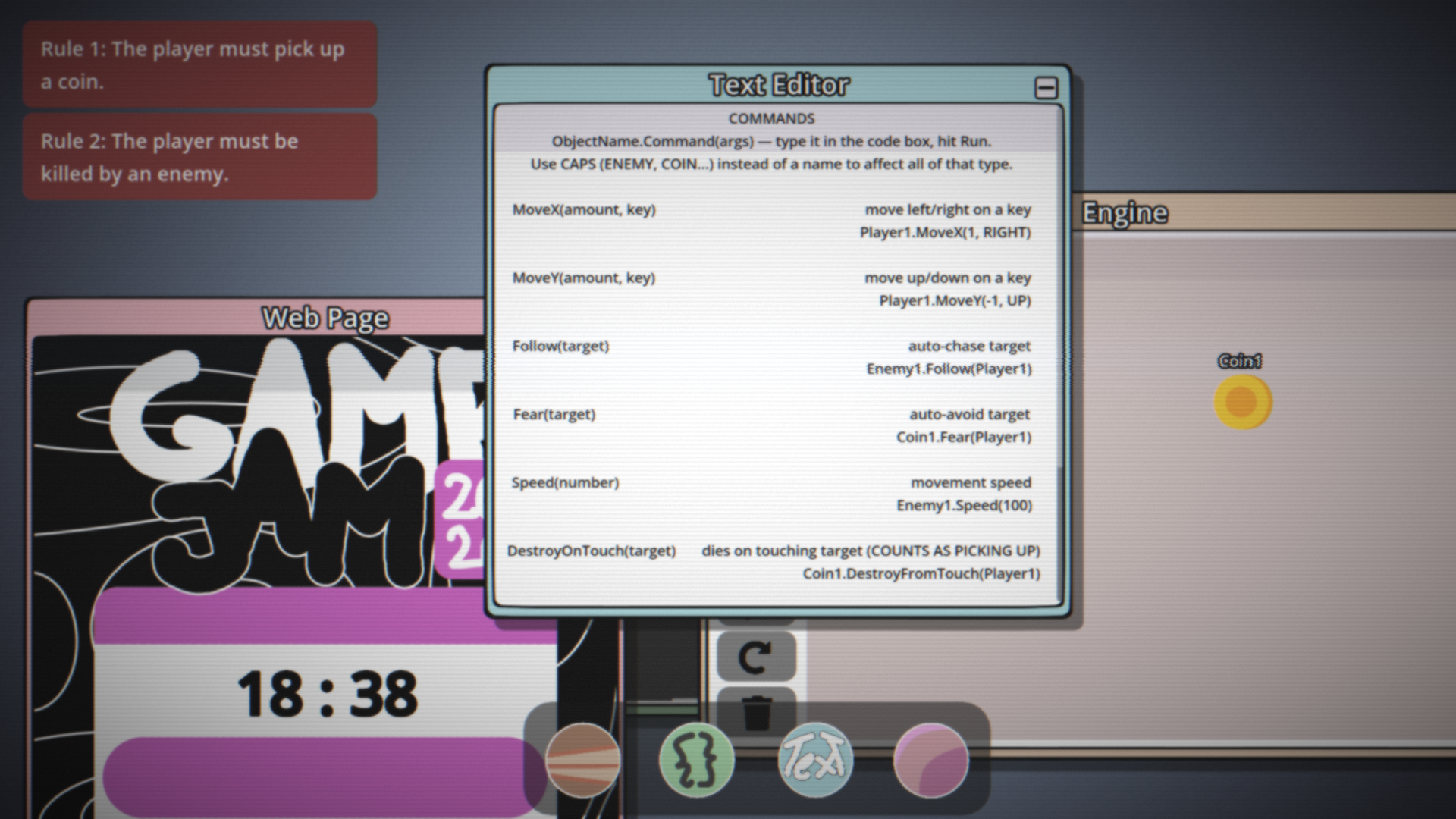
If you're ever unsure how a command works, open the Command Book. It contains every available command and examples of how to use them.
Complete every rule before the timer reaches 0... because your friend always has one more rule.
Comments
Log in with itch.io to leave a comment.
the collect 5 coins rule seems to be impossible, as it unchecks itself upon player death. either that, or the ‘player must not use follow command’ is broken.
It says player must collect 5 coins but it doesn't specify which player. So you can have more than 1 player. Thank you for still trying it tho